


EDN Network


How to implement MQTT on a microcontroller

One of the original and most important reasons Message Queuing Telemetry Transport (MQTT) became the de facto protocol for Internet of Things (IoT) is its ability to connect and control devices that are not directly reachable over the Internet.
In this article, we’ll discuss MQTT in an unconventional way. Why does it exist at all? Why is it popular? If you’re about to implement a device management system, is MQTT the best fit, or are there better alternatives?

Figure 1 This is how incoming connections are blocked. Source: Cesanta Software
In real networks—homes, offices, factories, and cellular networks—devices typically sit behind routers, network address translation (NAT) gateways, or firewalls. These barriers block incoming connections, which makes traditional client/server communication impractical (Figure 1).
However, as shown in the figure below, even the most restrictive firewalls usually allow outgoing TCP connections.

Figure 2 Even the most restrictive firewalls usually allow outgoing TCP connections. Source: Cesanta Software
MQTT takes advantage of this: instead of requiring the cloud or the user to initiate a connection into the device, the device initiates an outbound connection to a publicly visible MQTT broker. Once this outbound connection is established, the broker becomes a communication hub, enabling control, telemetry, and messaging in both directions.

Figure 3 This is how devices connect out but servers never connect in. Source: Cesanta Software
This simple idea—devices connect out, servers never connect in—solves one of the hardest networking problems in IoT: how to reach devices that you cannot address directly.
To summarize:
- The device opens a long-lived outbound TCP connection to the broker.
- Firewalls/NAT allow outbound connections, and they maintain the state.
- The broker becomes the “rendezvous point” accessible to all.
- The server or user publishes messages to the broker; the device receives them over its already-open connection.
Publish/subscribe
Every MQTT message is carried inside a binary frame with a very small header, typically only a few bytes. These headers contain a command code—called a control packet type—that defines the semantic meaning of the frame. MQTT defines only a handful of these commands, including:
- CONNECT: The client initiates a session with the broker.
- PUBLISH: It sends a message to a named topic.
- SUBSCRIBE: It registers interest in one or more topics.
- PINGREQ/PINGRESP: They keep alive messages to maintain the connection.
- DISCONNECT: It ends the session cleanly.
Because the headers are small and fixed in structure, parsing them on a microcontroller (MCU) is fast and predictable. The payload that follows these headers can be arbitrary data, from sensor readings to structured messages.
So, the publish/subscribe pattern works like this: a device publishes a message to a topic (a string such as factory/line1/temp). Other devices subscribe to topics they care about. The broker delivers messages to all subscribers of each topic.

Figure 4 The model shows decoupling of senders and receivers. Source: Cesanta Software
As shown above, the model decouples senders and receivers in three important ways:
- In time: Publishers and subscribers do not need to be online simultaneously.
- In space: Devices never need to know each other’s IP addresses.
- In message flow: Many-to-many communication is natural and scalable.
For small IoT devices, the publish/subscribe model removes networking complexity while enabling structured, flexible communication. Combined with MQTT’s minimal framing overhead, it achieves reliable messaging even on low-bandwidth or intermittent links.
Request/response over MQTT
MQTT was originally designed as a broadcast-style protocol, where devices publish telemetry to shared topics and any number of subscribers can listen. This publish/subscribe model is ideal for sensor networks, dashboards, and large-scale IoT systems where data fan-out is needed. However, MQTT can also support more traditional request/response interactions—similar to calling an API—by using a simple topic-based convention.
To implement request/response, each device is assigned two unique topics, typically embedding the device ID:
Request topic (RX): devices/DEVICE_ID/rx used by the server or controller to send a command to the device.
Response topic (TX): devices/DEVICE_ID/tx used by the device to send results back to the requester.
When the device receives a message on its RX topic, it interprets the payload as a command, performs the corresponding action, and publishes the response on its TX topic. Because MQTT connections are persistent and outbound from the device, this pattern works even for devices behind NAT or firewalls.
This structure effectively recreates a lightweight RPC-style workflow over MQTT. The controller sends a request to a specific device’s RX topic; the device executes the task and publishes a response to its TX topic. The simplicity of topic naming allows the system to scale cleanly to thousands or millions of devices while maintaining separation and addressing.
With it, it’s easy to implement remote device control using MQTT. One of the practical choices is to use JSON-RPC for the request/response.
Secure connectivity
MQTT includes basic authentication features such as username/password and transport layer security (TLS) encryption, but the protocol itself offers very limited isolation between clients. Once a client is authenticated, it can typically subscribe to wildcard topics and receive all messages published on the broker. Also, it can publish to any topic, potentially interfering with other devices.
Because MQTT does not define fine-grained access control in its standard, many vendors implement non-standard extensions to ensure proper security boundaries. For example, AWS IoT attaches per-client access control lists (ACLs) tied to X.509 certificates, restricting exactly which topics a device may publish or subscribe to. Similar policy frameworks exist in EMQX, HiveMQ, and other enterprise brokers.
In practice, production systems must rely on these vendor-specific mechanisms to enforce strong authorization and prevent devices from accessing each other’s data.
MQTT implementation on a microcontroller
MCUs are ideal MQTT clients because the protocol is lightweight and designed for low-bandwidth, low-RAM environments. Implementing MQTT on an MCU typically involves integrating three components: a TCP/IP stack (Wi-Fi, Ethernet, or cellular), an MQTT library, and application logic that handles commands and telemetry.
After establishing a network connection, the device opens a persistent outbound TCP session to an MQTT broker and exchanges MQTT frames—CONNECT, PUBLISH, and SUBSCRIBE—using only a few kilobytes of memory. Most implementations follow an event-driven model: the device subscribes to its command topic, publishes telemetry periodically, and maintains the connection with periodic ping messages. With this structure, even small MCUs can participate reliably in large-scale IoT systems.
An example of a fully functional but tiny MQTT client can be found in the Mongoose repository: mqtt-client.
WebSocket server: An alternative
If all you need is a clean way for your devices to talk to your back-end, MQTT can feel like bringing a whole toolbox just to tighten one screw. JSON-RPC over WebSocket keeps things minimal: devices open a WebSocket, send tiny JSON-RPC method calls, and get direct responses. No brokers, no topic trees, and no QoS semantics to wrangle.
The nice part is how naturally it fits into a modern back-end. The same service handling the WebSocket connections can also expose a familiar REST API. That REST layer becomes the human- and script-friendly interface, while JSON-RPC over WebSocket stays as the fast “device side” protocol.
The back-end basically acts as a bridge: REST in, RPC out. This gives you all the advantages of REST—a massive ecosystem of tools, gateways, authentication systems, monitoring, and automation—without forcing your devices to speak.

Figure 5 This is how REST to JSON-RPC over WebSocket bridge architecture looks like. Source: Cesanta Software
This setup also avoids one of MQTT’s classic security footguns, where a single authenticated client can accidentally gain visibility or access to messages from the entire fleet just by subscribing to the wrong topic pattern.
With a REST/WebSocket bridge, every device connection is isolated, and authentication happens through well-understood web mechanisms like JWTs, mTLS, API keys, OAuth, or whatever your infrastructure already supports. It’s a much more natural fit for modern access control models.
Beyond typical MQTT setup
This article offers a fresh look at IoT communication, going beyond the typical MQTT setup. It explains why MQTT is great for devices behind NAT/firewalls (devices only connect out to the broker) and highlights that the protocol’s lack of fine-grained access control can create security headaches. It also outlines an alternative solution: JSON-RPC over a single persistent WebSocket connection.
For a practical application demo of these MQTT principles, see the video tutorial that explains how to implement an MQTT client on an MCU and build a web UI that displays MQTT connection status, provides connect/disconnect control, and lets you publish MQTT messages to any topic.
In this step-by-step tutorial, we use STM32 Nucleo-F756ZG development board with Mongoose Wizard—though the same method applies to virtually any other MCU platform—and a free HiveMQ Public Broker. This tutorial is suitable for anyone working with embedded systems, IoT devices, or STM32 development stack, and looking to integrate MQTT networking and a lightweight web UI dashboard into their firmware.
 Sergey Lyubka is co-founder and technical director of Cesanta Software Ltd. He is known as the author of the open-source Mongoose Embedded Web Server and Networking Library (https://mongoose.ws), which has been on the market since 2004 and has over 12k stars on GitHub.
Related Content
- Avoiding MQTT pitfalls
- Connecting correctly in MQTT
- MQTT essentials – Scenarios and the pub-sub pattern
- Device to Cloud: MQTT and the power of topic notation
- How to Control a Servo Motor Using Your Smartphone with the MQTT Protocol and the Raspberry Pi
The post How to implement MQTT on a microcontroller appeared first on EDN.
Windows 10: Support hasn’t yet ended after all, but Microsoft’s still a fickle-at-best friend

Bowing to user backlash, Microsoft eventually relented and implemented a one-year Windows 10 support-extension scheme. But (limited duration) lifelines are meaningless if they’re DOA.
Back in November, within my yearly “Holiday Shopping Guide for Engineers”, the first suggestion in my list was that you buy you and yours Windows 11-compatible (or alternative O/S-based) computers to replace existing Windows 10-based ones (specifically ones that aren’t officially Windows 11-upgradable, that is). Unsanctioned hacks to alternatively upgrade such devices to Windows 11 do exist, but echoing what I first wrote last June (where I experimented for myself, but only “for science”, mind you), I don’t recommend relying on them for long-term use, even assuming the hardware-hack attempt is successful at all, that is:
The bottom line: any particular system whose specifications aren’t fully encompassed by Microsoft’s Windows 11 requirements documentation is fair game for abrupt no-boot cutoff at any point in the future. At minimum, you’ll end up with a “stuck” system, incapable of being further upgraded to newer Windows 11 releases, therefore doomed to fall off the support list at some point in the future. And if you try to hack around the block, you’ll end up with a system that may no longer reliably function, if it even boots at all.
A mostly compatible computing stableFortunately, all of my Windows-based computers are Windows 11-compatible (and already upgraded, in fact), save for two small form factor systems, one (Foxconn’s nT-i2847, along with its companion optical drive), a dedicated-function Windows 7 Media Center server:


(mine are white, and no, the banana’s not normally a part of the stack):

and the other, an XCY X30, largely retired but still hanging around to run software that didn’t functionally survive the Windows 10-to-11 transition:


And as far as I can recall, all of the CPUs, memory DIMMs, SSDs, motherboards, GPUs and other PC building blocks still lying around here waiting to be assembled are Windows 11-compliant, too.
One key exception to the ruleMy wife’s laptop, a Dell Inspiron 5570 originally acquired in late 2019, is a different matter:


Dell’s documentation initially indicated that the Inspiron 5570 was a valid Windows 11 upgrade candidate, but the company later backtracked due to partner Microsoft’s increasingly-over-time stingy CPU and TPM requirements. Our secondary strategy was to delay its demise by a year by taking advantage of one of Microsoft’s Windows 10 Extended Support Update (ESU) options. For consumers, there initially were two paths, both paid: spending $30 or redeeming 1,000 Microsoft Rewards points, although both ESU options covered up to 10 devices (presumably associated with a common Microsoft account). But in spite of my repeated launching of the Windows Update utility over a several-month span, it stubbornly refused to display the ESU enrollment section necessary to actualize my extension aspirations for the system:

My theory at the time was that although the system was registered under my wife’s personal Microsoft account, she’d also associated it with a Microsoft 365 for Business account for work email and such, and it was therefore getting caught by the more complicated corporate ESU license “net”. So, I bailed on the ESU aspiration and bought her a Dell 16 Plus as a replacement, instead:

That I’d done (and to be precise, seemingly had to do) this became an even more bitter already-swallowed pill when Microsoft subsequently added a third, free consumer ESU option, involving backup of PC settings in prep for the delayed Windows 11 migration to still come a year later:

And then the final insult to injury arrived. At the beginning of October, a few weeks prior to the Windows 10 baseline end-of-support date, I again checked Windows Update on a lark…and lo and behold, the long-missing ESU section was finally there (and I then successfully activated it on the Inspiron 5570). Nothing had changed with the system, although I had done a settings backup a few weeks earlier in a then-fruitless attempt to coax the ESU to reactively appear. That said, come to think of it, we also had just activated the new system…were I a conspiracy theorist (which I’m not, but just sayin’), I might conclude that Microsoft had just been waiting to squeeze another Windows license fee out of us (a year earlier than otherwise necessary) first.
To that last point, and in closing, a reality check. At the end of the day, “all” we did was to a) buy a new system a year earlier than I otherwise likely would have done, and b) delay the inevitable transition to that new system by a year. And given how DRAM and SSD prices are trending, delaying the purchase by a year might have resulted in an increased cash outlay, anyway. On the other hand, the CPU would have likely been a more advanced model than we ended up, too. So…
A “First World”, albeit baffling, problem, I’m blessed to be able to say in summary. How did your ESU activation attempts go? Let me (and your fellow readers) know in the comments: thanks as always in advance!
—Brian Dipert is the Principal at Sierra Media and a former technical editor at EDN Magazine, where he still regularly contributes as a freelancer.
Related Content
- Updating an unsanctioned PC to Windows 11
- A holiday shopping guide for engineers: 2025 edition
- Microsoft embraces obsolescence by design with Windows 11
- Microsoft’s Build 2024: Silicon and associated systems come to the fore
The post Windows 10: Support hasn’t yet ended after all, but Microsoft’s still a fickle-at-best friend appeared first on EDN.
Handheld enclosures target harsh environments

Rolec’s handCASE (IP 66/IP 67) handheld enclosures for machine control, robotics, and defense electronics can now be specified with a choice of lids and battery options.
These rugged diecast aluminum enclosures are ideal for industrial and military applications in which devices must survive challenging environments but also be comfortable to hold for long periods.
 (Source: Rolec USA)
Robust handCASE can be specified with or without a battery compartment (4 × AA or 2 × 9 V). Two versions are available: S with an ergonomically bevelled lid, and R with a narrow-edged lid to maximize space. Both tops are recessed to protect a membrane keypad or front plate. Inside there are threaded screw bosses for PCBs or mounting plates.
The enclosures are available in three sizes: 3.15″ × 7.09″ × 1.67″, 3.94″ × 8.66″ × 1.67″ and 3.94″ × 8.66″ × 2.46″. As standard, Version S features a black (RAL 9005) base with a silver metallic top, while Version R is fully painted in light gray (RAL 7035).
Custom colors are available on request. They include weather-resistant powder coatings (F9) with WIWeB approvals and camouflage colors for military applications. These coatings are also available in a wet painted finish. They meet all military requirements, including the defense equipment standard VG 95211.
Options and accessories include a shoulder strap, a holding clip and wall bracket, and a corrosion-proof coating in azure blue (RAL 5009).
Rolec can supply handCASE fully customized. Services include CNC machining, engraving, RFI/EMI shielding, screen and digital printing, and assembly of accessories.
For more information, view the Rolec website: https://Rolec-usa.com/en/products/handcase#top
The post Handheld enclosures target harsh environments appeared first on EDN.
AI’s insatiable appetite for memory

The term “memory wall” was first coined in the mid-1990s when researchers from the University of Virginia, William Wulf and Sally McKee, co-authored “Hitting the Memory Wall: Implications of the Obvious.” The research presented the critical bottleneck of memory bandwidth caused by the disparity between processor speed and the performance of dynamic random-access memory (DRAM) architecture.
These findings introduced the fundamental obstacle that engineers have spent the last three decades trying to overcome. The rise of AI, graphics, and high-performance computing (HPC) has only served to increase the magnitude of the challenge.
Modern large language models (LLMs) are being trained with over a trillion parameters, requiring continuous access to data and petabytes of bandwidth per second. Newer LLMs in particular demand extremely high memory bandwidth for training and for fast inference, and the growth rate shows no signs of slowing with the LLM market size expected to increase from roughly $5 billion in 2024 to over $80 billion by 2033. And the growing gap between CPU and GPU performance, memory bandwidth, and latency is unmistakable.
The biggest challenge posed by AI training is in moving these massive datasets between the memory and processor, and here, the memory system itself is the biggest bottleneck. As compute performance has increased, memory architectures have had to evolve and innovate to keep pace. Today, high-bandwidth memory (HBM) is the most efficient solution for the industry’s most demanding applications like AI and HPC.
History of memory architecture
In the 1940s, the von Neumann architecture was developed and it became the basis for computing systems. The control-centric design stores a program’s instructions and data in the computer’s memory. The CPU fetched instructions and data sequentially, creating idle time while the processor waited for these instructions and data to return from memory. The rapid evolution of processors and the relatively slower improvement of memory eventually created the first system memory bottlenecks.

Figure 1 Here is a basic arrangement showing how processor and memory work together. Source: Wikipedia
As memory systems evolved, memory bus widths and data rates increased, enabling higher memory bandwidths that improved this bottleneck. The rise of graphics processing units (GPUs) and HPC in the early 2000s accelerated the compute capabilities of systems and brought with them a new level of pressure on memory systems to keep compute and memory systems in balance.
This led to the development of new DRAMs, including graphics double data rate (GDDR) DRAMs, which prioritized bandwidth. GDDR was the dominant high-performance memory until AI and HPC applications went mainstream in the 2000s and 2010s, when a newer type of DRAM was required in the form of HBM.

Figure 2 The above chart highlights the evolution of memory in more than two decades. Source: Amir Gholami
The rise of HBM for AI
HBM is the solution of choice to meet the demands of AI’s most challenging workloads, with industry giants like Nvidia, AMD, Intel, and Google utilizing HBM for their largest AI training and inference work. Compared to standard double-data rate (DDR) or GDDR DRAMs, HBM offers higher bandwidth and better power efficiency in a similar DRAM footprint.
It combines vertically stacked DRAM chips with wide data paths and a new physical implementation where the processor and memory are mounted together on a silicon interposer. This silicon interposer allows thousands of wires to connect the processor to each HBM DRAM.
The much wider data bus enables more data to be moved efficiently, boosting bandwidth, reducing latency, and improving energy efficiency. While this newer physical implementation comes at a greater system complexity and cost, the trade-off is often well worth it for the improved performance and power efficiency it provides.
The HBM4 standard, which JEDEC released in April of 2025, marked a critical leap forward for the HBM architecture. It increases bandwidth by doubling the number of independent channels per device, which in turn allows more flexibility in accessing data in the DRAM. The physical implementation remains the same, with the DRAM and processor packaged together on an interposer that allows more wires to transport data compared to HBM3.
While HBM memory systems remain more complex and costlier to implement than other DRAM technologies, the HBM4 architecture offers a good balance between capacity and bandwidth that offers a path forward for sustaining AI’s rapid growth.
AI’s future memory need
With LLMs growing at a rate between 30% to 50% year over year, memory technology will continue to be challenged to keep up with the industry’s performance, capacity, and power-efficiency demands. As AI continues to evolve and find applications at the edge, power-constrained applications like advanced AI agents and multimodal models will bring new challenges such as thermal management, cost, and hardware security
The future of AI will continue to depend as much on memory innovation as it will on compute power itself. The semiconductor industry has a long history of innovation, and the opportunity that AI presents provides compelling motivation for the industry to continue investing and innovating for the foreseeable future.
Steve Woo is a memory system architect at Rambus. He is a distinguished inventor and a Rambus fellow.
Special Section: AI Design
- The AI design world in 2026: What you need to know
- AI workloads demand smarter SoC interconnect design
The post AI’s insatiable appetite for memory appeared first on EDN.
Zero maintenance asset tracking via energy harvesting

Real-time tracking of assets has enabled both supply chain digitalization and operational efficiency leaps. These benefits, driven by IoT advances, have proved transformational. As a result, the market for asset-tracking systems for transportation and logistics firms is set to triple, reaching USD 22.5 billion by 2034¹. And, if we look across all sectors, the asset tracking market is forecasted to grow at a CAGR of 15%, reaching USD 51.2 billion by 2030².
However, the ability for firms to maximize the benefits of asset tracking is being constrained by the finite power limitations of a single component, the battery. Reliance on batteries has a number of disadvantages. In addition to the battery cost, battery replacement across multiple locations increases operational costs and demands considerable time and effort.
At the same time, batteries can cause system-wide vulnerabilities. When a tag’s battery unexpectedly fails, for example, a tracked item can effectively disappear from the network and the corresponding data is no longer collected. This, in turn, leads to supply chain disruptions and bottlenecks, sometimes even production line downtime, and reduces the very efficiencies the IoT-based system was designed to deliver (Figure 1).

Figure 1 Real-time tracking of assets is transforming logistics operations, enabling supply chain digitalization and unlocking major efficiency gains.
Battery maintenanceA “typical” asset tracking tag will implement two core functions: location and communications. For long-distance shipping, GPS will primarily be used as the location identifier. In a logistics warehouse, GPS coverage can be poor, but Wi-Fi scanning remains an option. Other efficient systems include FSK or BLE beacons, Wirepas mesh, or Quuppa’s angle of arrival (AoA).
For data communication, several protocols are possible,
- BLE if the assets remain indoors
- LTE-M if global coverage is a key requirement, and the assets are outdoors
- LoRaWAN if seamless indoor and outdoor coverage is needed, as this can use private, public, community, and satellite networks, with some of them offering native multi-country coverage.
Sensors can also improve functionality and efficiency. For example, an accelerometer can be added to identify when a tag moves and then initiate a wake-up. Other sensors can determine a package’s status and condition. In the case of energy harvesting, the power management chip can indicate the amount of energy that is available. Therefore, the behavior of the device can also be adapted to this information. The final important component on the board of an asset tracker will be an energy-efficient MCU.
The stated battery life of a 15-dollar tag will often be overestimated. This will mainly be due to the radio protocol behaviors. But even if the battery cost itself is limited, the replacement cost can be estimated at around 50 dollars once man-hours are factored into this.
An alternative tag based on the latest energy harvesting technology might have an initial cost of around 25 dollars, but with no batteries to replace, its total cost over a decade remains essentially the same, whereas even a single battery replacement already pushes a 15-dollar tag above that level.
For example, in the automotive industry, manufacturers transport parts using large reusable metal racks. Each manufacturer will use tens of thousands of these, each valued at around 500 dollars. We have been told that, because of scanning errors and mismanagement, up to 10 percent go missing each year.
By equipping racks with tags powered from harvested energy, companies can create an automated inventory system. This results in annual OPEX savings that can be in the order of millions of dollars, a return on investment within months, and lower CAPEX since fewer racks are required for the same production volume.
Self-powered trackingUnlike battery-powered asset trackers, Ambient IoT tags use three core blocks to supply energy to the system: the harvester, an energy storage element, and a power management IC. Together, these enable energy to be harvested as efficiently as possible.
Energy sources can range from RF through thermoelectric to vibration, but for many logistics and transport applications, the most readily available and most commonly used source is light. And this will be natural (solar) or ambient, depending on whether the asset being tracked spends most of its life outdoors (e.g., a container) or indoors (e.g., a warehouse environment).
For outdoor asset trackers on containers or vehicles, significant energy can be harvested from direct sunlight using traditional photovoltaic (PV) amorphous silicon panels. When space is limited, monocrystalline silicon technology provides a higher power density and still works well indoors. For indoor light levels, in addition to the traditional amorphous silicon, there are three additional technologies that become available and cost-effective for these use cases.
- Organic photovoltaic (OPV) cells can provide up to twice the power density of amorphous silicon. Furthermore, the flexibility of these PV cells allows for easy mechanical implementation on the end device.
- Dye-sensitized solar cells bring even higher power densities and exhibit low degradation levels over time, but they are sometimes limited by the requirement for a glass substrate, which prevents flexibility.
- Perovskite PV cells also reach similar power densities as dye-sensitized solar cells, with the possibility of a flexible substrate. However, these have challenges related to lead content and aging.
Before selecting a harvester, an evaluation of the PV cell should be undertaken. This should combine both laboratory measurements and real-world performance tests, along with an assessment of aging characteristics (to ensure that the lifetime of the PV cell exceeds the expected end-of-life of the tracker) and mechanical integration into the casing. The manufacturer chosen to supply the technology should also be able to support large-scale deployments.
When it comes to energy storage, such a system may require either a small, rechargeable chemical-based battery or a supercapacitor. Alternatively, there is the lithium capacitor (a hybrid of the two). Each has distinct characteristics regarding energy density and self-discharge. The right choice will depend on a number of factors, including the application’s required operating temperature and longevity.
Finally, a power management IC (PMIC) must be chosen. This provides the interface between the PV cell and the storage element, and manages the energy flow between the two, something that needs to be done with minimal losses. The PMIC should be optimized to maximize the lifespan of the energy storage element, protecting it from overcharging and overdischarging, while delivering a stable, regulated power output to the tag’s application electronics (Figure 2).
For an indoor industrial environment, where ambient light levels can be low, there is the risk of the storage element becoming fully depleted. It is therefore crucial that the PMIC can perform a cold start in these conditions, when only a small amount of energy is available.
In developing the most appropriate system for a given asset tracking application, it will be important to undertake a power budget analysis. This will consider both the energy consumed by the application and the energy available for harvesting. With the size of the device and its power consumption, it is relatively straightforward to determine the number of hours per day and the luminosity (lux level) for any given PV cell technology to make the device capable of autonomously running by harvesting more energy over a 24-hour period than it consumes.
The storage element size is also critical as it determines how long the device can operate without any power at the source. And even if power consumption is too high to make it fully autonomous, the application of energy harvesting can be used to significantly extend battery life.

Figure 2 e-peas has worked with several leading tracking system developers, including MOKO SMART (top), Minew (left), and inVirtus (center), Jeng IoT (right) to implement energy harvesting in asset trackers. Source: e-peas
Examples of energy-harvested tracking systemsCompanies such as inVirtus, Jeng IoT, Minew, and MOKO SMART, all leaders in developing logistics and transportation tracking systems, have already started transitioning to energy-harvesting-powered asset trackers. And notably, these devices are delivering significant returns in complex logistical environments.
Minew’s device, for example, implements Epishine’s ultra-thin solar cells to create a credit card-sized asset tracker. MOKO SMART’s L01A-EH is a BLE-based tracker with a three-axis accelerometer and temperature and humidity sensors. These tags, which can be placed on crates to track their journey through a production process, give precise data on lead times and dwell times at each station. This allows monitoring of efficiency and the highlighting of bottlenecks in the system.
A good example of such benefits can be found at Thales, where the InVirtus EOSFlex Beacon battery-free tag is being used. The company has cited a saving of 30 minutes on tracking during part movements when monitoring work orders after the company switched to a system where each work order was digitally linked to a tagged box. Because each area of the factory corresponds to a specific task, the tag’s indoor location provides accurate manufacturing process monitoring.
Additionally, the system saves time by selecting the highest priority task and activating a blinking LED on the corresponding box. It also improves both lead time prediction accuracy and scheduling adherence—the alignment between the planned schedule and actual work progress.
The tags have also been used to locate measurement equipment shared by multiple divisions, and Thales has reported savings of up to two hours when locating these pieces of equipment. This is a critical difference as each instance of downtime represents a major cost, and without this tracking, the company would incur significant maintenance delays that could stop the production line.
Additionally, one aviation manufacturer that is also using this approach to track the work orders has improved scheduling adherence from 30% up to 90%.
Ultimately, energy harvesting in logistics is not simply about eliminating batteries, but about building more resilient, predictable, and cost-effective supply chains. Perpetually powered tracking systems provide constant and reliable visibility, allow for more accurate lead-time predictions, better resource planning, and a significant reduction in the operational friction caused by lost or untraceable assets.
Pierre Gelpi graduated from École Polytechnique in Paris and obtained a Master’s degree from the University of Montreal in Canada. He has 25 years of experience in the telecommunications industry. He began his career at Orange Labs, where he spent eight years working on radio technologies and international standardization. He then served for five years as Technical Director for large accounts at Orange Business Services. After Orange, he joined Siradel, where he led sales and customer operations for wireless network planning and smart city projects, notably in Chile. He subsequently co-founded the first SaaS-based radio planning tool dedicated to IoT.
In 2016, he joined Semtech, where he was responsible for LoRa business development in the EMEA region, driving demand creation to accelerate market growth, particularly in the track-and-trace segment. He joined e-peas in 2024 to lead Sales in EMEA and to promote the vision of unlimited battery life.
References:
- Yahoo! (n.d.). Real Time Location Systems in transportation and Logistics Market Outlook Report 2025-2034 | AI, ML, and IOT, enhancing the capabilities of RTLS in real-time data collection and analysis. Yahoo! Finance. https://uk.finance.yahoo.com/news/real-time-location-systems-transportation-150900694.html?guccounter=2
- Asset tracking market size & share: Industry report, 2030. Asset Tracking Market Size & Share | Industry Report, 2030. (n.d.). https://www.grandviewresearch.com/industry-analysis/asset-tracking-market-report#:~:text=Industry:%20Technology,reducing%20losses%20and%20optimizing%20logistics.
Related Content
- Energy harvesting gets really personal
- Circuits for RF Energy Harvesting
- Lightning as an energy harvesting source?
- 5 key considerations in IoT asset tracking design
The post Zero maintenance asset tracking via energy harvesting appeared first on EDN.
AI workloads demand smarter SoC interconnect design

Artificial intelligence (AI) is transforming the semiconductor industry from the inside out, redefining not only what chips can do but how they are created. This impacts designs from data centers to the edge, including endpoint devices such as autonomous driving, drones, gaming systems, robotics, and smart homes. As complexity pushes beyond the limits of conventional engineering, a new generation of automation is reshaping how systems come together.
Instead of manually placing every switch, buffer, and timing pipeline stage, engineers can now use automation algorithms to generate optimal network-on-chip (NoC) configurations directly from their design specifications. The result is faster integration and shorter wirelengths, driving lower power consumption and latency, reduced congestion and area, and a more predictable outcome.
Below are the key takeaways of this article about AI workload demands in chip design:
- AI workloads have made existing SoC interconnect design impractical.
- Intelligent automation applies engineering heuristics to generate and optimize NoC architectures.
- Physically aware algorithms enhance timing closure, reduce power consumption, and shorten design cycles.
- Network topology automation is enabling a new class of AI system-on-chips (SoCs).
Machine learning guides smarter design decisions
As SoCs become central to AI systems, spanning high-performance computing (HPC) to low-power devices, the scale of on-chip communication now exceeds what traditional methods can manage effectively. Integrating thousands of interconnect paths has created data-movement demands that make automation essential.
Engineering heuristics analyze SoC specifications, performance targets, and connectivity requirements to make design decisions. This automation optimizes the resulting interconnect for throughput and latency within the physical constraints of the device floorplan. While engineers still set objectives such as bandwidth limits and timing margins, the automation engine ensures the implementation meets those goals with optimized wirelengths, resulting in lower latency and power consumption and reduced area.
This shift marks a new phase in automation. Decades of learned engineering heuristics are now captured in algorithms that are designing silicon that enables AI itself. By automatically exploring thousands of variations, NoC automation determines optimal topology configurations that meet bandwidth goals within the physical constraints of the design. This front-end intelligence enables earlier architectural convergence and provides the stability needed to manage the growing complexity of SoCs for AI applications.
Accelerating design convergence
In practice, automation generates and refines interconnect topologies based on system-level performance goals, eliminating the need for laborious repeated manual engineering adjustments, as shown in Figure 1. These automation capabilities enable rapid exploration and convergence of multiple different design configurations, shortening NoC iteration times by up to 90%. The benefits compound as designs scale, allowing teams to evaluate more options within a fixed schedule.

Figure 1 Automation replaces manual NoC generation, reducing power and latency while improving bandwidth and efficiency. Source: Arteris
Equally important, automation improves predictability. Physically aware algorithms recognize layout constraints early, minimizing congestion and improving timing closure. Teams can focus on higher-level architectural trade-offs rather than debugging pipeline delays or routing conflicts late in the flow.
AI workloads place extraordinary stress on interconnects. Training and inference involve moving vast amounts of data between compute clusters and high-bandwidth memory, where even microseconds of delay can affect throughput. Automated topology optimization ensures traffic flow to maintain consistent operation under heavy loads.
Physical awareness drives efficiency
In 3-nm technologies and beyond, routing wire parasitics are a significant factor in energy use. Automated NoC generation incorporates placement and floorplan awareness, optimizing wirelength and minimizing congestion to improve overall power efficiency.
Physically guided synthesis accelerates final implementation, allowing designs to reach timing closure faster, as Figure 2 illustrates. This approach provides a crucial advantage as interconnects now account for a large share of total SoC power consumption.

Figure 2 Smart NoC automation optimizes wirelength, performance, and area, delivering faster topology generation and higher-capacity connectivity. Source: Arteris
The outcome is silicon optimized for both computation and data movement. Automation enables every signal to take the best route possible within physical and electrical limits, maximizing utilization and overall system performance.
Additionally, automation delivers measurable gains in AI architectures. For example, in data centers, automated interconnect optimization manages multi-terabit data flows among heterogeneous processors and high-bandwidth memory stacks.
At the edge, where latency and battery life are critical, automation enables SoCs to process data locally without relying on the cloud. Across both environments, interconnect fabric automation ensures that systems meet escalating computational demands while remaining within realistic power envelopes.
Automation in designing AI
Automation has become both the architect and the workload. Automated systems can be used to explore multiple design options, optimize for power and performance simultaneously, and reuse verified network templates across derivative products. These advances redefine productivity, allowing smaller engineering teams to deliver increasingly complex SoCs in less time.
By embedding intelligence into the design process, automation transforms the interconnect from a passive conduit into an active enabler of AI performance. The result is a new generation of optimized silicon, where the foundation of computing evolves in step with the intelligence it supports.
Automation has become indispensable for next-generation SoCs, where the pace of architectural change exceeds traditional design capacity. By combining data analysis, physical awareness, and adaptive heuristics, engineers can build systems that are faster, leaner, and more energy efficient. These qualities define the future of AI computing.
 Rick Bye is director of product management and marketing at Arteris, overseeing the FlexNoC family of non-coherent NoC IP products. Previously, he was a senior product manager at Arm, responsible for a demonstration SoC and compression IP. Rick has extensive product management and marketing experience in semiconductors and embedded software.
Special Section: AI Design
The post AI workloads demand smarter SoC interconnect design appeared first on EDN.
Plastic TVS devices meet MIL-grade requirements

Microchip’s JANPTX transient voltage suppressors (TVS) are among the first to achieve MIL-PRF-19500 qualification in a plastic package. With a working voltage range from 5 V to 175 V, the JANPTX family provides a lightweight, cost-effective alternative to conventional hermetic TVS devices while maintaining required military performance.

Rated to clamp transients up to 1.5 kW (10/1000 µs waveform) and featuring response times under 100 ps (internal testing), the devices protect sensitive electronics in aerospace and defense systems. These surface-mount, unidirectional TVS diodes mitigate voltage transients caused by lightning strikes, electrostatic discharge, and electrical surges.
JANPTX TVS devices safeguard airborne avionics, electrical systems, and other mission-critical applications where low voltage and high reliability are required. They protect against switching transients, RF-induced effects, EMP, and secondary lightning, meeting IEC61000-4-2, -4-4, and -4-5 standards.
Available now in production quantities, the JANPTX product line spans five device variants with multiple JAN-qualified ordering options. View the datasheet for full specifications and application information.
The post Plastic TVS devices meet MIL-grade requirements appeared first on EDN.
Snap-in capacitors handle higher voltages

Vishay has added 550‑V and 600‑V options to its 193 PUR‑SI line of miniature snap‑in aluminum electrolytic capacitors. According to the manufacturer, the capacitors deliver up to 30% higher ripple current than standard components of similar case sizes, along with a longer useful life.

Designers often connect three 400‑V to 450‑V capacitors in series, with voltage‑balancing resistors across each device, to handle DC bus voltages up to 1100 V. While effective, this approach increases design complexity and introduces potential failure points.
With voltage ratings up to 600 V, the 193 PUR‑SI family allows designers to handle DC bus voltages up to 1100 V using fewer capacitors. This eliminates the need for voltage‑balancing resistors, saving PCB space and reducing BOM costs. The additional voltage headroom also extends capacitor lifetimes and improves overall system reliability.
In addition to higher voltage ratings, the 193 PUR‑SI series provides robust performance and flexible configurations. The capacitors handle ripple currents up to 3.27 A and offer capacitance from 47 µF to 820 µF in 25 case sizes. A rated life of 5000 hours at +105°C enables up to 25 years of operation at +60°C.
Samples of the extended 193 PUR‑SI series capacitors can be ordered from catalog distributors in small quantities. Production quantities are currently available, with lead times of 18 weeks.
The post Snap-in capacitors handle higher voltages appeared first on EDN.
Low-power TMR switches boost magnetic sensitivity

Two omnipolar magnetic switches, the LF21173TMR and LF21177TMR from Littelfuse, combine tunneling magnetoresistance (TMR) and CMOS technologies in a compact LGA4 package. Compared with conventional Hall-effect switches, these TMR devices offer higher sensitivity and lower power consumption, making them useful for energy-efficient designs.

Operating from 1.8 V to 5.5 V while consuming just 160 nA, the LF21173TMR and LF21177TMR deliver typical sensitivities of 10 Gauss and 30 Gauss, respectively. This high magnetic sensitivity ensures reliable detection even with smaller magnets, enabling more compact product designs without sacrificing performance.
Unlike Hall-effect sensors, which rely on voltage generated by magnetic flux, TMR sensors detect resistance changes in magnetic tunnel junctions. This approach produces stronger signal outputs at lower current levels, allowing engineers to create smaller, longer-lasting, and more energy-efficient devices—extending battery life in portable electronics.
Samples of the LF21173TMR and LF21177TMR are available through authorized Littelfuse distributors.
The post Low-power TMR switches boost magnetic sensitivity appeared first on EDN.
Samsung achieves live single-server vRAN

Samsung has completed the industry’s first commercial call using its virtualized RAN (vRAN) on a Tier 1 U.S. operator’s live network. Powered by an Intel Xeon 6 SoC with up to 72 cores, the vRAN is designed to accelerate AI-native, 6G-ready networks, delivering higher performance and improved efficiency. This milestone builds on Samsung’s 2024 achievement of completing an end-to-end call in a lab environment with the same Xeon 6 SoC.

The vRAN ran on a single HPE commercial off-the-shelf server using a Wind River cloud platform, consolidating multiple network functions—mobile core, radio access, transport, and security—onto one server. With Intel Advanced Matrix Extensions (AMX) and vRAN Boost, the deployment delivered improved AI processing, memory bandwidth, and energy efficiency compared with previous generations. This setup demonstrates the feasibility of single-server vRAN deployments for live, commercial networks.
By enabling consolidation of RAN and AI workloads on fewer servers, operators can simplify site management, reduce power consumption, and lower capital and operational expenditures. The approach supports software-driven, flexible architectures that are AI-ready and scalable, helping networks move toward automation and preparing them for next-generation 6G capabilities.
Read the complete press release here.
The post Samsung achieves live single-server vRAN appeared first on EDN.
Controllers simplify USB-C dual-role power delivery

Diodes’ AP53781 and AP53782 are USB Type-C Power Delivery 3.1 dual-role power (DRP) controllers for battery-powered systems. They manage USB PD power negotiation for USB-C ports that can operate as either a power sink or power source, supporting Standard Power Range (SPR) profiles up to 21 V and Extended Power Range with Adjustable Voltage Supply (EPR/AVS) up to 28 V.

Both controllers include built-in firmware for automatic USB PD 3.1 negotiation, enabling sink operation when connected to a PD-compliant charger and source operation when powering a connected USB-C device. In dead-battery mode, the controllers force sink operation until external VBUS is detected. Typical applications for dual-role USB-C ports include power banks, power tools, e-bikes, and portable displays.
The AP53781 features resistor-configurable, preloaded PDO/RDO profiles that enable fixed source and sink operation without a host MCU. In contrast, the AP53782 adds an I²C interface that allows a host MCU to dynamically configure power profiles and implement more advanced power-management functions.
The AP53781 and AP53782 are priced at $0.57 and $0.59, respectively, in 1000-unit quantities.
The post Controllers simplify USB-C dual-role power delivery appeared first on EDN.
Sonic excellence: Music (and other audio sources) in the office, part 2

Last time, our engineer covered the audio equipment stacks on either side of his laptop. But what do they connect to, and what connects to them? Read on for the remaining details.
I wrapped up the initial entry in this two-part series with the following prose:
So far, we’ve covered the two stacks’ details. But what does each’s remaining S/PDIF DAC input connect to? And to what do they connect on the output end, and how? Stay tuned for part 2 to come next for the answers to these questions, along with other coverage topics.
“Next” is now. Here again is the unbalanced (i.e., single-ended) connection setup to the right of my laptop:

And here’s its higher-end balanced counterpart to the left:

As was the case last time in describing both stacks, I’m going to begin this explanation of the remainder of the audio playback chain at the end (with the speakers and power amplifiers), working my way from there back through the stacks to the beginning (the other audio sources). I’ll start by sharing another photo, of the right-channel speaker and associated hardware, that regular readers have already seen, first as a reference in the comment section and subsequently as an embedded image within the main writeup:

Here’s the relevant excerpt from the first post’s comments section:
I thought I’d share one initial photo from my ears-on testing of the Schiit Rekkr. The speakers are located 3.5 feet away from me and tilted slightly downward (for tweeter-positioning alignment with my ears) and toward the center listening position. As mentioned in the writeup, they’re Audioengine’s P4 Passives. And the stands are from Monoprice. As you’ll see, I’m currently running two Rekkrs, each one in monoblock mode.
Here’s a “stock” photo of the speakers:

Along with a “stock” photo of one of the stands:

At this point, you might be asking yourself a question along the lines of the following: “He’s got two audio equipment stacks…how does he drive a single set of speakers from both of them?” The answer, dear readers, is at the bottom of the left speaker, which you haven’t yet seen:

That’s another Schiit Sys passive switch, the same as the one in the earlier right-of-laptop stack albeit a different color, and this time underneath the Rekkr power amplifier at that location:


The rear-panel RCA outputs of the Schiit Vali 2++ (PDF) tube-based headphone amplifier at the top of the right-side stack:


and the 3.5 mm (“1/8 in.”) single-ended headphone mini-jack at the front of the Drop + THX AAA 789 amplifier at the top of the left-side stack:


Both route to it, and I as-desired use the Sys to switch between them, with the Sys outputs then connected to the Rekkrs. Well…sorta. There’s one more link in the chain between the Sys and the Rekkrs that I haven’t yet mentioned.
Wireless connectivityThe Audioengine P4 Passives deliver great sound, especially considering their compact size, but their front ported design can’t completely counterbalance the fact that the woofers are only 4” in diameter. Therefore explaining the other Audioengine speaker in the room, the company’s compact (albeit perfect for the office’s diminutive dimensions) P6 subwoofer based on a 6″ long throw front-firing woofer along with an integrated 140W RMS Class D amplifier:


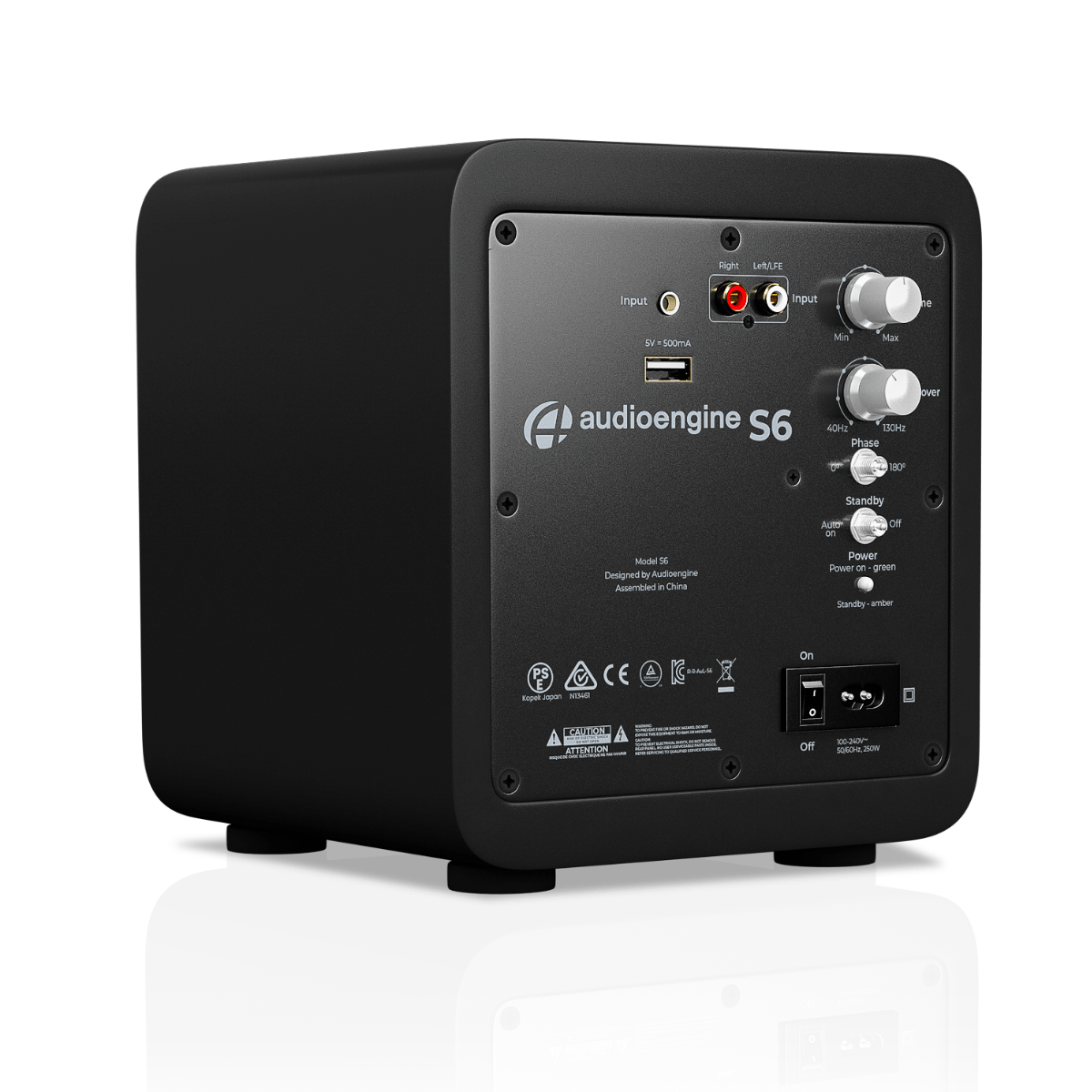
And since I’d purchased the wireless variant of the P6, Audiosource had also bundled its W3 wireless transmitter and receiver kit with the subwoofer:


The Sys left and right outputs both get split, with each output then routing in parallel both to the relevant Rekkr and to the W3 transmitter input’s correct channel. The receiver is roughly 12 feet away, to my left at the end of the room and connected to (and powered by) the back panel of the W6 subwoofer.
The transmitter and receiver aren’t even close to being line-of-sight aligned with each other, but the 2.4 GHz ISM band link between them still does a near-perfect job of managing connectivity. The only time I encounter dropouts, and then only briefly, is when a water-rich object (i.e., one of the humans, or our dog) moves in-between them. And although I was initially worried that the active W3 transmissions might destructively interfere with Bluetooth and/or Wi-Fi, I’m happy to report I haven’t experienced any degradation here, either.
Audio source diversityThat covers one end of the chain: now, what about the non-computer audio sources? There’s only one device, actually, shared between the two stacks, although its functional flexibility enables both native and connected content source diversity. And you’ve already heard about it, too; it’s the Bluesound NODE N130 that I initially mentioned at the beginning of 2023:


It integrates support for a diversity of streaming music services; although I could alternatively “tune in” to this same content via a connected computer, it’s nice not to have to bother booting one up if all I want to do is relax and audition some tunes. Integrated Bluetooth connectivity mates it easily with my Audio-Technica AT-LP60XBT turntable:

And a wiring harness mates it with the analog audio output of my ancient large-screen LCD computer monitor, acting as a pseudo TV in combination with my Xbox 360 (implementing Media Center Extender functionality) and Google Chromecast with Google TV.

The Bluesound NODE N130 has three audio output options, which conveniently operate concurrently: analog and both optical and coaxial (RCA) S/PDIF. The first goes to my Yamaha SR-C20A sound bar, the successor to the ill-fated Hisense unit I groused about back in mid-2023:

And the other two route to the Drop + Grace Design Standard DAC Balanced at the bottom of the left-side stack (optical S/PDIF):


and the Schiit Modi Multibit 1 DAC at the bottom of the right-side stack (coaxial RCA S/PDIF):


The multi-stack connectivity repetition is somewhat superfluous, but since it was a feasible possibility, I figured, why not? That said, I can always redirect one of the stack’s DACs to some other digitally tethered to-be-acquired widget in the future. And as mentioned in part 1 of this series, the Modi Multibit 1’s other (optical) S/PDIF input remains unpopulated right now, too.
That’s all (at least for now), folksAfter a two-post series spanning 2,000+ words, there’s my combo home office and “man cave” audio setup in (much more than) a nutshell. Feedback is, as always, welcomed in the comments!
—Brian Dipert is the Principal at Sierra Media and a former technical editor at EDN Magazine, where he still regularly contributes as a freelancer.
Related Content
- Sonic excellence: Music (and other audio sources) in the office, part 1
- Audio amplifiers: How much power (and at what tradeoffs) is really required?
- Audio Amplifiers from Class A, B, D to T
- Class D audio power amplifiers: Adding punch to your sound design
- Audio amplifier selection in hearable designs
- The Schiit Modi Multibit: A little wiggling ensures this DAC won’t quit
The post Sonic excellence: Music (and other audio sources) in the office, part 2 appeared first on EDN.
Extend the LM358 op-amp family’s output voltage range

The LM358 family of dual op amps is among those hoary industry work-horse devices that are inexpensive and still have their uses. These parts’ outputs can approach (and for the inputs even include) their negative supply rail voltage. Unfortunately, this is not the case for the positive supply rail. However, cascading the op amp with a few simple, inexpensive components can surmount this limitation of the outputs.
 Figure 1 This simple rail-to-rail gain stage, consisting of Q1, Q2, R1, Rf, Rg, Rcomp, and Ccomp, is driven by the output of the LM258A op-amp. Feedback network Rf1 and Rg1 help to ensure that the inverting input feedback voltage is within the op-amp’s common-mode input range and to set a stable loop gain characteristic.
I had some LM258As on hand, which I had bought instead of the LM358As because of the slightly better input offset voltage and bias current ratings, which also spanned a wider set of temperatures. Interestingly, the input common-mode range for the non-A version of the part is characterized over temperature as Vcc – 2V for Vcc between 5 and 30V. But the A version is characterized at 30-V only. Go figure! As you’ll see, the tests I ran encountered no difficulties.
The parts’ AC characteristics are spec’d identically, suggesting that the even cheaper LM358 should encounter no stability issues. With the components shown in Figure 1, the loop gain above 100 kHz is about that of the LM258A configured as a voltage follower. Below 10 kHz, there’s approximately an extra 8 dB of gain. The following (Figures 2 through Figure 7) are some screen shots of ‘scope traces for various tests of the circuit at 1 kHz. The scales for all traces are the same: 1 V and 200 µs per large divisions.

Figure 2 Here, rail-to-rail swings of the circuit’s output are apparent.

Figure 3 The circuit recovers from clipping gracefully.

Figure 4 With a 0.1 µF load, slewing problems arise.

Figure 5 A 470-ohm load in parallel with 0.1 µF is stable and doesn’t exhibit slewing problems.

Figure 6 But with 0.1 µF as the sole load, the circuit is not stable.

Figure 7 Swapping the 470-ohm Rcomp with 100-ohms restores stability with 0.1 µF as the sole load.
In conclusion, a pair of cheap transistors, an inexpensive cap, and a few non-precision resistors provide a cost-effective way to turn the LM358 family of op amps into one with rail-to-rail output capabilities.
Christopher Paul has worked in various engineering positions in the communications industry for over 40 years.
Related Content
- Simple PWM interface can program regulators for Vout < Vsense
- LM358 Datasheet and Pinout
- com: Experimenting with LM358 and OPA2182 ICs
- Tricky PWM Controller – An Analog Beauty!
- LED Lamp Dimmer Project Circuit
- Op amp one-shot produces supply-independent pulse timing
The post Extend the LM358 op-amp family’s output voltage range appeared first on EDN.
The AI design world in 2026: What you need to know

We live in an AI era, but behind the buzzword lies an intricate world of hardware and software building blocks. Like every other design, AI systems span multiple dimensions, ranging from processors and memory devices to interface design and EDA tools. So, EDN is publishing a special section that aims to untangle the AI labyrinth and thus provide engineers and engineering managers greater clarity from a design standpoint.
For instance, while AI is driving demand for advanced memory solutions, memory technology is taking a generational leap by resolving formidable engineering challenges. An article will examine the latest breakthroughs in memory technology and how they are shaping the rapidly evolving AI landscape. It will also provide a sneak peek at memory bottlenecks in generative AI, as well as thermal management and energy-efficiency constraints.

Figure 1 HBM offers higher bandwidth and better power efficiency in a similar DRAM footprint. Source: Rambus
Another article hits the “memory wall” currently haunting hyperscalers. What is it, and how can data center companies confront such memory bottlenecks? The article explains the role of high-bandwidth memory (HBM) in addressing this phenomenon and offers a peek into future memory needs.
Interconnect is another key building block in AI silicon. Here, automation is becoming a critical ingredient in generating and refining interconnect topologies to meet system-level performance goals. Then, there are physically aware algorithms that recognize layout constraints and minimize routing congestion. An article will show how the phenomena work while also showing how AI workloads have made existing chip interconnect design impractical.

Figure 2 The AI content in interconnect designs facilitates intelligent automation, which in turn, enables a new class of AI chips. Source: Arteris
No design story is complete without EDA tools, and AI systems are no exception. An EDA industry veteran writes a piece for this special section to show how AI workloads are forcing a paradigm shift in chip development. He zeroes in on the energy efficiency of AI chips and explains how next-generation design tools can help design chips that maximize performance for every watt consumed.
On the applications front, edge AI finally came of age in 2025 and is likely to make further inroads during 2026. A guide on edge AI for industrial applications encompasses the key stages of the design value chain. That includes data collection and preprocessing, hardware-accelerated processing, model training, and model compression. It also explains deployment frameworks and tools, as well as design testing and validation.

Figure 3 Edge AI addresses the high-performance and low-latency requirements of industrial applications by embedding intelligence into devices. Source: Infineon
There will be more. For instance, semiconductor fabs are incorporating AI content to modernize their fabrication processes. Take the case of GlobalFoundries joining hands with Siemens EDA for fab automation; GF is deploying advanced AI-enabled software, sensors, and real-time control systems for fab automation and predictive maintenance.
Finally, and more importantly, this special section will take a closer look at the state of training and inference technologies. Nvidia’s recent acquisition of Groq is a stark reminder of how quickly inference technology is evolving. While training hardware has captured much of the limelight in 2025, 2026 could be a year of inference.
Stay tuned for more!
Related Content
- The network-on-chip interconnect is the SoC
- An edge AI processor’s pivot to the open-source world
- Edge AI powers the next wave of industrial intelligence
- Four tie-ups uncover the emerging AI chip design models
- HBM memory chips: The unsung hero of the AI revolution
The post The AI design world in 2026: What you need to know appeared first on EDN.
5 octave linear(ish)-in-pitch power VCO

A few months back, frequent DI contributor Nick Cornford showed us some clever circuits using the TDA7052A audio amplifier as a power oscillator. His designs also demonstrate the utility of the 7052’s nifty DC antilog gain control input:
- Power amplifiers that oscillate—deliberately. Part 1: A simple start.
- Power amplifiers that oscillate—deliberately. Part 2: A crafty conclusion.
Eventually, the temptation to have a go at using this tricky chip in a (sort of) similar venue became irresistible. So here it is. See Figure 1.
 Figure 1 A2 feedback and TDA7052A’s antilog Vc gain control create a ~300-mW, 5-octave linear-in-pitch VCO. More or less…
The 5-V square wave from comparator A2 is AC-coupled by C1 and integrated by R1C2 to produce an (approximate) triangular waveshape on U1 pin 2. This is boosted by A1 by a gain factor of 0dB to 30dB (1 to 32) according to the Vcon gain control input to become complementary speaker drive signals on pins 5 and 8.
A2 compares the speaker signals to its own 5-V square wave to complete the oscillation-driven feedback loop thusly. Its 5-V square wave is summed with the inverted -1.7-Vpp U1 pin 8 signal, divided by 2 by the R2R3 divider, then compared to the noninverted +1.7-Vpp U1 pin 5 signal. The result is to force A2 to toggle at the peaks of the tri-wave when the tri-wave’s amplitude just touches 1.7 Vpp. This causes the triangle to promptly reverse direction. The action is sketched in Figure 2.

Figure 2 The signal at the A2+ (red) and A2- (green) inputs.
This results in (fairly) accurate regulation of the tri-wave’s amplitude at a constant 1.7 Vpp. But how does that allow Vcon to control oscillation frequency?
Here’s how.
The slope of the tri-wave on A1’s input pin 2 is fixed at 2.5v/(R1C2), or 340 v/s. Therefore, the slopes of the tri-waves on A1 output pins 5 and 8 equal ±U1gain*340 v/s. This means the time required for those tri-waves to ramp through each 1.7-V half-cycle = 1.7/(U1gain*340v/s) = 5ms/U1gain.
Thus, the full cycle time = 2*(5ms/U1gain) = 10ms/U1gain, making Fosc = 100Hz*A1gain.
A1 gain is controlled by the 0- to 2-V Vc input. The Vc input is internally biased to 1 V with a 14-kΩ equivalent impedance as illustrated in Figure 3.

Figure 3 R4 works with the 14 kΩ internal Vc bias to make a 5:1 voltage divider, converting 0 to 2 V into 1±0.2 V.
R4 works into this, making a 5:1 voltage division that converts the 0 to 2 V suggested Vc excursion to the 0.8 to 1.2 V range at pin 4. Figure 4 shows the 0dB to 30dB gain range this translates into.

Figure 4 Vc’s 0 to 2 V antilog gain control span programs A1 pin 4 from 0.8 V to 1.2 V for 1x to 32x gain and Fosc = 100HzA1gain = 100Hz(5.66Vc) = 100 to 3200Hz
The resulting balanced tri-wave output can make a satisfyingly loud ~300 mW warble into 8 Ω without sounding too obnoxiously raucous. A basic ~50-Ω rheostat in series with a speaker lead can, of course, make it more compatible with noise-sensitive environments. If you use this dodge, be sure to place the rheostat on the speaker side of the connections to A2.
Meanwhile, note (no pun) that the 7052 data sheet makes no promises about tempco compensation nor any other provision for precision gain programming. So neither do I. Figure 1’s utility in precision applications (e.g., music synthesis) is therefore definitely dubious.
Just in case anyone’s wondering, R5 was an afterthought intended to establish an inverting DC feedback loop from output to input to promote initial oscillation startup. This being much preferable to a deafening (and embarrassing!) silence.
Stephen Woodward’s relationship with EDN’s DI column goes back quite a long way. Over 100 submissions have been accepted since his first contribution back in 1974.
Related Content
- Power amplifiers that oscillate—deliberately. Part 1: A simple start.
- Power amplifiers that oscillate—deliberately. Part 2: A crafty conclusion.
- A pitch-linear VCO, part 1: Getting it going
- A pitch-linear VCO, part 2: taking it further
- Seven-octave linear-in-pitch VCO
The post 5 octave linear(ish)-in-pitch power VCO appeared first on EDN.
Fundamentals in motion: Accelerometers demystified

Accelerometers turn motion into measurable signals. From tilt and vibration to g-forces, they underpin countless designs. In this “Fun with Fundamentals” entry, we demystify their operation and take a quick look at the practical side of moving from datasheet to design.
From free fall to felt force: Accelerometer basics
Accelerometer is a device that measures the acceleration of an object relative to an observer in free fall. What it records is proper acceleration—the acceleration actually experienced—rather than coordinate acceleration, which is defined with respect to a chosen coordinate system that may itself be accelerating. Put simply, an accelerometer captures the acceleration felt by people and objects, the deviation from free fall that makes gravity and motion perceptible.
An accelerometer—also referred to as accelerometer sensor or acceleration sensor—operates by sensing changes in motion through the displacement of an internal proof mass. At its core, it’s an electromechanical device that measures acceleration forces. These forces can be static, like the constant pull of gravity, or dynamic, caused by movement or vibrations.
When the device experiences acceleration, this mass shifts relative to its housing, and the movement is converted into electrical signals. These signals are measured along one, two, or three axes, enabling detection of direction, vibration, and orientation. Gravity also acts on the proof mass, allowing the sensor to register tilt and position.
The electrical output is then amplified, filtered, and processed by internal circuitry before reaching a control system or processor. Once conditioned, the signal provides electronic systems with accurate data to monitor motion, detect vibration, and respond to variations in speed or direction across real-world applications.
In a nutshell, a typical accelerometer uses an electromechanical sensor to detect acceleration by tracking the displacement of an internal proof mass. When the device experiences either static acceleration—such as the constant pull of gravity—or dynamic acceleration—such as vibration, shock, or sudden impact—the proof mass shifts relative to its housing.
This movement alters the sensor’s electrical characteristics, producing a signal that is then amplified, filtered, and processed. The conditioned output allows electronic systems to quantify motion, distinguish between steady forces and abrupt changes, and respond accurately to variations in speed, orientation, or vibration.

Figure 1 Pencil rendering illustrates the suspended proof mass—the core sensing element—inside an accelerometer. Source: Author
The provided illustration hopefully serves as a useful conceptual model for an inertial accelerometer. It demonstrates the fundamental principle of inertial sensing, specifically showing how a suspended proof mass shifts in response to gravitational vectors and external acceleration. This mechanical displacement is the foundation for the capacitive or piezoresistive sensing used in modern MEMS devices to calculate precise changes in motion and orientation.
Accelerometer families and sensing principles
Moving to the common types of accelerometers, designs range from piezoelectric units that generate charge under mechanical stress—ideal for vibration and shock sensing but unable to register static acceleration—to piezoresistive devices that vary resistance with strain, enabling both static and low-frequency measurements.
Capacitive sensors detect proof-mass displacement through changing capacitance, a method that balances sensitivity with low power consumption and supports tilt and orientation detection. Triaxial versions extend these principles across three orthogonal axes, delivering full spatial motion data for navigation and vibration analysis.
MEMS accelerometers, meanwhile, miniaturize these mechanisms into silicon-based structures, integrating low-power circuitry with high precision, and now dominate both consumer electronics and industrial monitoring.
It’s worth noting that some advanced accelerometers depart from the classic proof-mass model, adopting optical or thermal sensing techniques instead. In thermal designs, a heated bubble of gas shifts within the sensor cavity under acceleration, and its displacement is tracked to infer orientation.
A representative example is the Memsic 2125 dual-axis accelerometer, which applies this thermal principle to deliver compact, low-power motion data. According to its datasheet, Memsic 2125 is a low-cost device capable of measuring tilt, collision, static and dynamic acceleration, rotation, and vibration, with a ±3 g range across two axes.
In practice, the core device—formally designated MXD2125 in Memsic datasheets and often referred to as Memsic 2125 in educational kits—employs a sealed gas chamber with a central heating element and four temperature sensors arranged around its perimeter. When the device is level, the heated gas pocket stabilizes at the chamber’s center, producing equal readings across all sensors.
Tilting or accelerating the device shifts the gas bubble toward specific sensors, creating measurable temperature differences. By comparing these values, the sensor resolves both static acceleration (gravity and tilt) and dynamic acceleration (motion such as vehicle travel). MXD2125 then translates the differential temperature data into pulse-duration signals, a format readily handled by microcontrollers for orientation and motion analysis.

Figure 2 Memsic 2125 module hosts the 2125 chip on a breakout PCB, exposing all I/O pins. Source: Parallax Inc.
A side note: the Memsic 2125 dual-axis thermal accelerometer is now obsolete, yet it remains a valuable reference point. Its distinctive thermal bubble principle—tracking the displacement of heated gas rather than a suspended proof mass—illustrates an alternative sensing approach that broadened the taxonomy of accelerometer designs.
The device’s simple pulse-duration output made it accessible in educational kits and embedded projects, ensuring its continued presence in documentation and hobbyist literature. I include it here because it underscores the historical branching of accelerometer technology prior to MEMS capacitive adoption.
Turning to the true mechanical force-balance accelerometer, recall that the classic mechanical accelerometer—often called a G-meter—embodies the elegance of direct inertial transduction. These instruments convert acceleration into deflection through mass-spring dynamics, a principle that long predates MEMS yet remains instructive.
The force-balance variant advances this idea by applying active servo feedback to restore the proof mass to equilibrium, delivering improved linearity, bandwidth, and stability across wide operating ranges. From cockpit gauges to rugged industrial monitors, such designs underscore that precision can be achieved through mechanical transduction refined by servo electronics—rather than relying solely on silicon MEMS.

Figure 3 The LTFB-160 true mechanical force-balance accelerometer achieves high dynamic range and stability by restoring its proof mass with servo feedback. Source: Lunitek
From sensitivity to power: Key specs in accelerometer selection
When selecting an accelerometer, makers and engineers must weigh a spectrum of performance parameters. Sensitivity and measurement range balance fine motion detection against tolerance for shock or dynamic loads. Output type (analog vs. digital) shapes interface and signal conditioning requirements, while resolution defines the smallest detectable change in acceleration.
Frequency response governs usable bandwidth, ensuring capture of low-frequency tilt or high-frequency vibration. Equally important are power demands, which dictate suitability for battery-operated devices versus mains-powered systems; low-power sensors extend portable lifetimes, while higher-draw devices may be justified in precision or high-speed contexts.
Supporting specifications—such as noise density, linearity, cross-axis sensitivity, and temperature stability—further determine fidelity in real-world environments. Taken together, these criteria guide selection, ensuring the chosen accelerometer aligns with both design intent and operational constraints.
Accelerometers in action: Translating fundamentals into real-world life
Although hiding significant complexities, accelerometers are not too distant from the hands of hobbyists and makers. Prewired and easily available accelerometer modules like ADXL345, MPU6050, or LIS3DH ease up breadboard experiments and enable quick thru-hole prototypes, while high-precision analog sensors like ADXL1002 enable a leap into advanced industrial vibration analysis.
Now it’s your turn—move your next step from fundamentals to practical applications, starting from handhelds and wearables to vehicles and machines, and extending further into robotics, drones, and predictive maintenance systems. Beyond engineering labs, accelerometers are already shaping households, medical devices, agriculture practices, security systems, and even structural monitoring, quietly embedding motion awareness into the fabric of everyday life.
So, pick up a module, wire it to your breadboard, and let motion sensing spark your next prototype—because accelerometers are waiting to translate your ideas into action.
 T. K. Hareendran is a self-taught electronics enthusiast with a strong passion for innovative circuit design and hands-on technology. He develops both experimental and practical electronic projects, documenting and sharing his work to support fellow tinkerers and learners. Beyond the workbench, he dedicates time to technical writing and hardware evaluations to contribute meaningfully to the maker community.
Related Content
- A Guide to Accelerometer Specifications
- NEMS tunes the ‘most sensitive’ accelerometer
- Designer’s guide to accelerometers: choices abound
- Optimizing high precision tilt/angle sensing: Accelerometer fundamentals
- One accelerometer interrupt pin for both wakeup and non-motion detection
The post Fundamentals in motion: Accelerometers demystified appeared first on EDN.
A failed switch in a wall plate = A garbage disposal that no longer masticates

How do single-pole wall switches work, and how can they fail? Read on for all the details.
Speaking of misbehaving power toggles, a few weeks back (as I’m writing this in mid-December), the kitchen wall switch that controls power going to our garbage disposal started flaking out. Flipping it to the “on” position sometimes still worked, as had reliably been the case previously, but other times didn’t.
Over only a few days’ time, the percentage of garbage disposal power-on failures increased to near-100%, although I found I could still coax it to fire up if I then pressed down firmly on the center of the switch. Clearly, it was time to visit the local Home Depot and buy-then-install a replacement. And then, because I’d never taken a wall switch apart before, it was teardown education time for me, using the original failed unit as my dissection candidate!
Diagnosing in the darkAs background, our home was originally built in the mid-1980s. We’re the third owners; we’ve never tried to track down the folks who originally built it, and who may or may not still be alive, but the second owner is definitely deceased. So, there’s really nobody we can turn to for answers to any residential electrical, plumbing, or other questions we have; we’re on our own.
Some of the wall switches scattered throughout the house are the traditional “toggle” style:

But many of them are the more modern decorator “rocker” design:

For example, here’s a Leviton Decora (which the company started selling way back in 1973, I learned while researching this piece) dual single-pole switch cluster in one of the bathrooms:

It looks just like the two-switch cluster originally in the kitchen, although you’ll have to take my word on this as I didn’t think to snap a photo until after replacing the misbehaving switch there.
In the cabinet underneath the sink is a dual AC outlet set. The bottom outlet is always “hot” and powers the dishwasher to the left of the sink. The top outlet (the one we particularly care about today) connects to the garbage disposal’s power cord and is controlled by the aforementioned wall switch. I also learned when visiting the circuit breaker box prior to doing the switch swap that the garbage disposal has its own dedicated breaker and electricity feed (which, it turns out, is a recommended and common approach).
A beefier successorEven prior to removing the wall plate and extracting the failed switch, I had a sneaking suspicion it was a standard ~15A model like the one next to it, which controls the light above the sink. I theorized that this power handling spec shortcoming might explain its eventual failure, so I selected a heavier-duty 20A successor. Here’s the new switch’s packaging, beginning with the front panel (as usual, and as with successive photos, accompanied by a 0.75″/19.1 mm diameter U.S. penny for size comparison purposes). Note the claimed “Light Almond” color, which would seemingly match the two-switch cluster color you saw earlier. Hold that thought:

And here are the remainder of the box sides:


Installation instructions were printed on the inside of the box.


The only slight (and surprising) complication was that (as with the original) while the line and load connections were both still on one side, with ground on the other, the connection sides were swapped versus the original switch. After a bit of colorful language, I managed. Voila:

The remaining original switch on the left, again controlling the above-sink light, is “Light Almond” (or at least something close to that tint). The new one on the right, however, is not “Light Almond” as claimed (and no, I didn’t think to take a full set of photos before installing it, either; this is all I’ve got). And yes, I twitch inside every time I notice the disparity. Eventually, I’ll yank it back out of the wall and return it for a correct-color replacement. But for now, it works, and I’d like to take a break from further colorful language (or worse), so I just grin and bear it.
Analyzing an antiqueAs for the original, now-malfunctioning right-side switch, on the other hand…plenty of photos of that. Let’s start with some overview shots:


As I’d suspected, this was a conventional 15A-spec’d switch (at first, I’d thought it said 5A but the leading “1” is there, just faintly stamped):

Backside next:

Those two screws originally mounted the switch to the box that surrounded it. The replacement switch came with a brand-new set that I used for re-installation purposes instead:

Another set of marking closeups:

And now for the right side:


I have no clue what the brown goo is that’s deposited at the top, nor do I either want to know what it is or take any responsibility for it. Did I mention that we’re the third owners, and that this switch dated from the original construction 40+ years and two owners ago?

I’m guessing maybe this is what happens when you turn on the garbage disposal with hands still wet and sudsy from hand-washing dishes (or maybe those are food remnants)? Regardless, the goop didn’t seemingly seep down to the switch contacts, so although I originally suspected otherwise, I eventually concluded that it likely ended up not being the failure root cause.
The bottom’s thankfully more pristine:

Those upper and lower metal tabs, it turns out, are our pathway inside. Bend ‘em out:


And the rear black plastic piece pulls away straightaway:

Here’s a basic wall switch functional primer, as I’ve gathered from research on conceptually similar (albeit differing-implementation) Leviton Decora units dissected by others:
along with my own potentially flawed hypothesizing; reader feedback is as always welcomed in the comments!).
The front spring-augmented assembly, with the spring there to hold it in place in one of two possible positions, fits into the grooves of the larger of the two metal pieces in the rear assembly. Line current routes from the screw attached to the larger lower rear-assembly piece and to the front assembly through that same spring-assisted metal-to-metal press-together. And when the switch is in the “on” position, the current then further passes on to the smaller rear-assembly piece, and from there onward to the load via the other attached screw.

However, you’ve undoubtedly already noticed the significant degradation of the contact at the end of the front assembly, which you’ll see more clearly shortly. And if you peer inside the rear assembly, there’s similar degradation at the smaller “load” metal piece’s contact, too:

Let’s take a closer look; the two metal pieces pull right out of the black plastic surroundings:


Now for a couple of closeups of the smaller, degraded-contact piece (yes, that’s a piece of single-sided transparent adhesive tape holding the penny upright and in place!):


Next, let’s look at what it originally mated with when the toggle was in the “on” position:

Jeepers:

Another black plastic plate also thankfully detached absent any drama:


And where did all the scorched metal that got burned off both contacts end up? Coating the remainder of the assembly, that’s where, most of it toward the bottom (gravity, don’cha know):

Including all over the back of the switch plate itself, along with the surrounding frame:


Our garbage disposal is a 3/4 HP InSinkErator Badger 5XP, with a specified current draw of 9.5A. Note, however, that this is also documented as an “average load” rating; the surge current on motor turn-on, for example, is likely much higher, as well as not managed by any start capacitors inside the appliance, which would be first-time charging up in parallel in such a scenario (in contrast, by the way, the dishwasher next to it, a Kenmore 66513409N410, specs 8.1A of “total current”, again presumably average, and 1.2A of which is pulled by the motor). So, given that this was only a 15A switch, I’m surprised it lasted as long as it did. Agree or disagree, readers? Share your thoughts on this and anything else that caught your attention in the comments!
—Brian Dipert is the Principal at Sierra Media and a former technical editor at EDN Magazine, where he still regularly contributes as a freelancer.
Related Content
- The Schiit Modi Multibit: A little wiggling ensures this DAC won’t quit
- Heavy Duty Limit Switch
- Top 10 electromechanical switches
- Product Roundup: Electromechanical switches
- Selecting a switch
The post A failed switch in a wall plate = A garbage disposal that no longer masticates appeared first on EDN.
Using a single MCU port pin to drive a multi-digit display
When we design a microcontroller (MCU) project, we normally leave a few port lines unused, so that last-minute requirements can be met. Invariably, even those lines also get utilized as the project progresses.
Imagine a situation where you have only one port line left out, and you are suddenly required to add a four-digit display. (Normally, you need 16 output port lines to drive four-digit displays or 8 port lines to drive multiplexed four-digit displays). In such a critical situation, the Figure 1 circuit will come in handy.

Figure 1 A MCU single port pin outputs a reset pulse first and then a number of count pulses equal to the number to be displayed.
Figure 1’s top left portion is a long pulse detector circuit, a Design Idea (DI) of mine published in October 2023. For the components selected, this circuit outputs a pulse only when its input pulse width is more than 1 millisecond (ms). For smaller pulses, its output is LOW.
Wow the engineering world with your unique design: Design Ideas Submission Guide
Figure 1’s circuit can be made as an add-on module to your MCU project. When a display update is needed, the MCU should send a 2-ms ON and 2-ms OFF reset pulse once. This long pulse resets the counter/ decoders.
Then, it sends 0.1-ms ON and 0.1-ms OFF count pulses, whose number equals to the four-digit number to be displayed. For example, if a number 4950 is to be displayed, the MCU will send one reset pulse followed by 4950 count pulses once. Then, the MCU can continue its other functions
The long pulse detector circuit with Q1, Q2, and U1A outputs a pulse for every input pulse, whose ON width is more than 1 ms. At the start, the MCU outputs a LOW. This turns Q1 OFF and allows Q2 to saturate, discharging C1.
When a 2-ms pulse comes, Q1 gets saturated, and Q2 turns OFF. During this period, C1 starts charging through R3, and its voltage goes to around 1.8 V. This is then sent to the positive input of the U1A comparator. Its negative input is kept at 1-V as decided by the R4, R5 divider. Hence, U1A comparator outputs HIGH, which resets all the counters.
For smaller pulses, this output remains LOW. So, when the MCU sends one reset pulse, U1A outputs a HIGH, which resets the U2,U3,U4, and U5 counter/decoders.
Then, these counters count the number of count pulses sent next and display it. U2 -U5 are counter / 7-segment decoders to drive common cathode LED seven-segment displays.
For a maximum count of 9999, the display update may take around 2 seconds. This time can be reduced by reducing the count pulse duration, depending upon the MCU and clock frequency selected.
I have used one resistor for each display for brightness control (R7, R8, R9, and R10). This will not give an equal brightness to all seven segments. Instead, you may use seven resistors per display or a resistor network per display to have equal brightness.
This idea can be extended to any number of displays driven by a single MCU port line. For more information, watch my video explaining this design:
Jayapal Ramalingam has over three decades of experience in designing electronics systems for power & process industries and is presently a freelance automation consultant.
Related Content
- A long pulse detector circuit
- How to design LED signage and LED matrix displays, Part 1
- DIY LED display provides extra functions and PWM
- Implementing Adaptive Brightness Control to Seven Segment LED Displays
- An LED display adapted for DIY projects
The post Using a single MCU port pin to drive a multi-digit display appeared first on EDN.
The high-speed data link to Mars faces a unique timing challenge

Experienced network designers know that the performance achievable of a data link depends on many factors, including the quality and consistency of the inherently analog medium between the two endpoints. Whether it’s air, copper, fiber, or even vacuum, that link sets a basic operating constraint on the speed and bit error rate (BER) of the link.
Any short- or longer-term perturbation in the link—including external and internal noise, distortion, phase shifts, media shifts, and other imperfections—will result in a lower effective data rate, need for more data encoding, error detection, correction, and re-transmissions.
A critical element in high-speed, low-BER data recovery is the advanced clock recovery and re-clocking for synchronization accomplished using phase-locked loops (analog or digital) and other arrangements. The unspoken assumption is that the fundamental measurement of “time” is the same at both ends of the link. This can be established by use of atomic and laser-optical clocks of outstanding precision and performance, if crystal or resonator-based won’t suffice.
But that endpoint equivalence is not necessarily the case. If we want to establish a long-term robotic or even human presence on our neighbor Mars, and set up a robust high-speed data link, we need to know the answer to a basic question: What time is it on Mars?
It turns out that it’s not a trivial question to answer. As Einstein showed in his classic 1905 paper on special relativity “On the Electrodynamics of Moving Bodies,” and subsequent work on general relativity, clocks don’t tick at the same rate across the universe. They will run slightly faster or slower depending on the strength of gravity in their environment, as well as their relative velocity with respect to other clocks.
This time dilation is not a fanciful theory, as it has been measured and verified in many experiments. It even points to a correction factor that must be applied to satellites orbiting the Earth. Without those adjustments, GPS signal timing would be “off” and its accuracy seriously degraded. It’s a phenomenon that is often, and quite correctly, summarized simply as “moving clocks run slow.”
The general problem of time-dilation, objects in motion, and gravity’s effects have been known for many years, and it can be a problem for non-orbiting space vehicles as well. To manage the problem, Barycentric Coordinate Time—known as TCB, from the French name—is a coordinate time standard defined in 1991 by the International Astronomical Union.
TCB is intended to be used as the independent variable of time for all calculations related to orbits of planets, asteroids, comets, and interplanetary spacecraft in the solar system, and defines time as experienced by a clock at rest in a coordinate frame co-moving with the barycenter (center of mass) of the solar system.
What does this have to do with Mars and data links? As shown in Figure 1, the magnitude of the dilation-induced time “slippage” between Earth and Mars is one factor that affects maintaining a high-speed link between these two planets.

Figure 1 In addition to “hard” data from landed rover and orbiting science packages, Mars—also known as “the red planet”—presents a complicated time-dilation scenario. Source: NIST
Now, a team of physicists at the National Institute of Standards and Technology (NIST) has calculated a fairly precise answer for the first time. The problem is complicated as there are four primary “players” to consider: Mars, Earth, Sun, and even our Moon (and the two small moons of Mars also have an effect, though much smaller).
Why the complication? It’s been known since the 1800s that the three-body problem has no general closed-form solution, and the four-body problem is worse. That means there is no explicit formula that can resolve the positions of the bodies in the dilation analysis. Consequently, number-crunching numerical calculations must be used, and it’s even more challenging with four and more bodies.
The researchers’ work is based not only on theory but also measurements from the various “rovers” that have landed on Mars as well as Mars orbiters. The team chose a point on the Martian surface as a reference, somewhat like sea level at the equator on Earth, and used years of data collected from Mars missions to estimate gravity on the surface of the planet, which is five times weaker than Earth’s.
I won’t even try to explain the mathematics of the analysis; all I will say it’s the most “intense” set of equations I have even seen, even compared to solid-state physics.
They determined that on average, clocks on Mars will tick 477 microseconds faster than those on Earth per day (Figure 2). However, Mars’ eccentric orbit and the gravity from its celestial neighbors can increase or decrease this amount by as much as 226 microseconds a day over the course of the Martian year.

Figure 2 Plots of the clock-rate offsets between a clock on Mars compared to clocks on the Earth and the Moon for ∼40 years starting from modified Julian date (MJD) 52275 (January 1, 2003), using DE440 data. DE440 is a highly accurate planetary and lunar ephemeris (a table of positions) from NASA’s Jet Propulsion Laboratory, representing precise orbital data for the Sun, Moon, planets, and Pluto. Source: NIST
The clock is not only “squeezed” with respect to Earth, but the amount of squeeze varies in a non-periodic way. In contrast, they note that the Earth and Moon orbits are relatively constant; time on the Moon is consistently 56 microseconds faster than time on Earth.
If you want the details, check out their open-access paper “A Comparative Study of Time on Mars with Lunar and Terrestrial Clocks” published in The Astronomical Journal of the American Astronomical Society. Don’t worry: a readable summary and overview is also posted at the NIST site, “What Time Is It on Mars? NIST Physicists Have the Answer.”
How engineers will deal with these results is another story, but timing is an important piece of the data link signal chain. Perhaps they will have to build an equivalent of the tide-predicting machine designed by William Thomson (later known as Lord Kelvin) shown in Figure 3.

Figure 3 This analog all-mechanical computer design by William Thomson was designed to predict tides, which are determined by cyclic motion of the Earth, Moon, and many other factors. Source: Science Museum London via IEEE Spectrum
This analog mechanical computer on display at the Science Museum in London was designed for one purpose only: combining 10 cyclic oscillations linked to the periodic motions of the Earth, Sun, and Moon and other bodies to trace the tidal curve for a given location.
Have you ever had to synchronize a data link with a nominally accurate clock on each end, but with clocks that actually had significant differences as well as cyclic and unknown shifting of their frequencies?
Bill Schweber is a degreed senior EE who has written three textbooks, hundreds of technical articles, opinion columns, and product features. Prior to becoming an author and editor, he spent his entire hands-on career on the analog side by working on power supplies, sensors, signal conditioning, and wired and wireless communication links. His work experience includes many years at Analog Devices in applications and marketing.
Related Content
- JPL & NASA’s latest clock: almost perfect
- “Digital” Sundial: Ancient Clock Gets Clever Upgrade
- Precision metrology redefines analog calibration strategy
The post The high-speed data link to Mars faces a unique timing challenge appeared first on EDN.
Vision SoC powers 8K multi-stream AI

Ambarella’s CV7 SoC leverages the CVflow computer vision architecture to bring 8K image processing and advanced AI inference to the edge. It supports simultaneous processing of multiple video streams at up to 8K at 60 Hz, making it well suited for a wide range of consumer and industrial AI perception applications, as well as multi-stream automotive systems—particularly those running CNNs and transformer-based networks.

Built on a 4-nm process, the CV7 delivers low power consumption, reducing thermal management requirements and extending battery life. Compared to its predecessor, it consumes 20% less power while integrating a quad-core Arm Cortex-A73 CPU that doubles general-purpose processing performance. A 64-bit DRAM interface further improves memory bandwidth.
The highly integrated CV7 SoC includes a third-generation CVflow AI accelerator, delivering more than 2.5× the AI performance of the previous CV5 SoC. It also integrates an image signal processor and hardware-accelerated video encoding for H.264, H.265, and MJPEG formats.
CV7 SoC samples are now available, along with a CNN toolkit for porting neural networks developed using Caffe, TensorFlow, PyTorch, and ONNX frameworks.
The post Vision SoC powers 8K multi-stream AI appeared first on EDN.
Сторінки